Plateworks Ignition is a field calculator for wildland fire. It computes Probability of Ignition, fine fuel moisture, and relative humidity from the NWCG Incident Response Pocket Guide (IRPG, PMS 461) and the belt-weather-kit tables.
- Platform
- Web, and iPhone in beta
- Requires
- A current browser. iOS 17 or later for the beta
- Price
- Free
- Status
- Web app live. iOS beta on TestFlight
- Made by
- Badwater Guidance LLC
Open the web app at ignition.plateworks.org. It installs to your home screen and works with no signal. The iOS app is in beta on TestFlight. It runs the same tables on a different face: a slide rule and a wheel you turn.
The chain
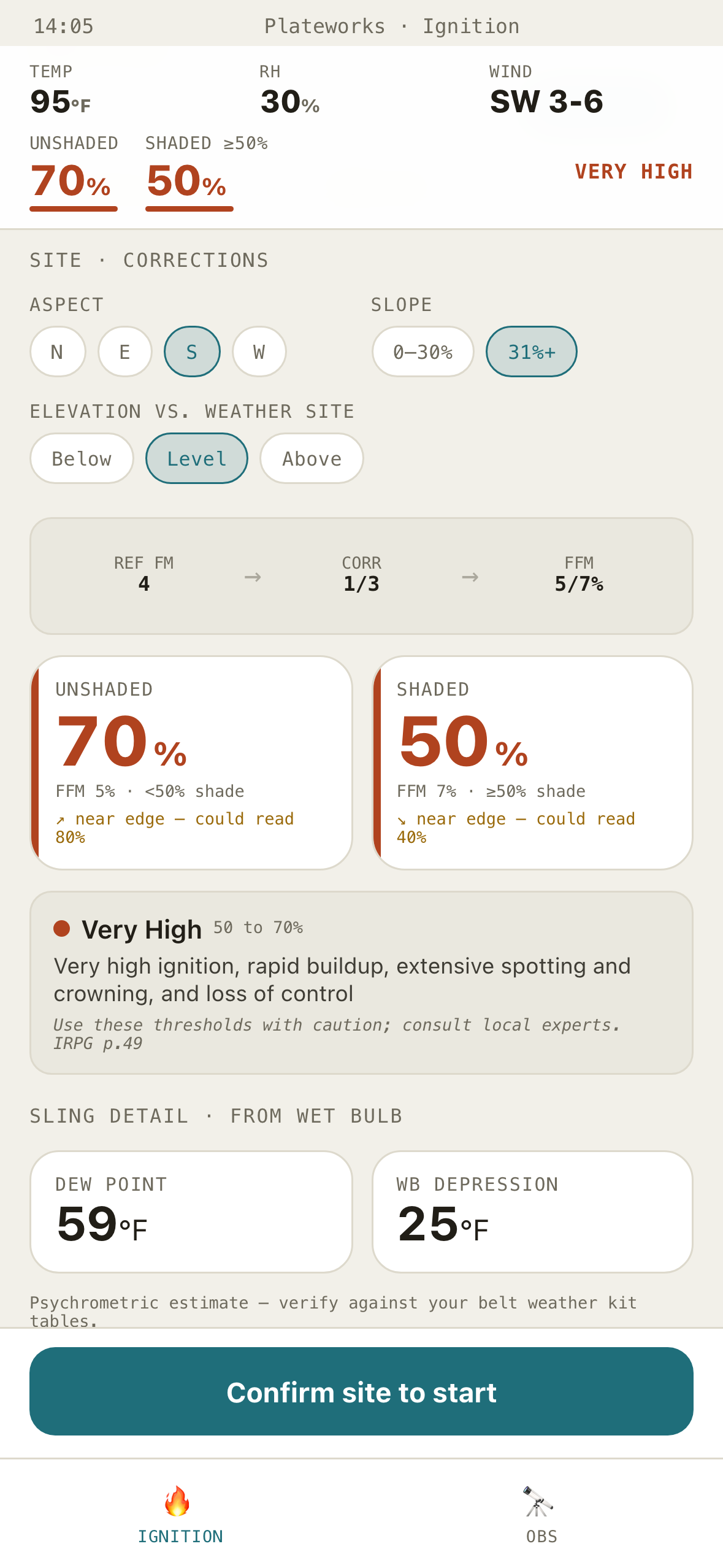
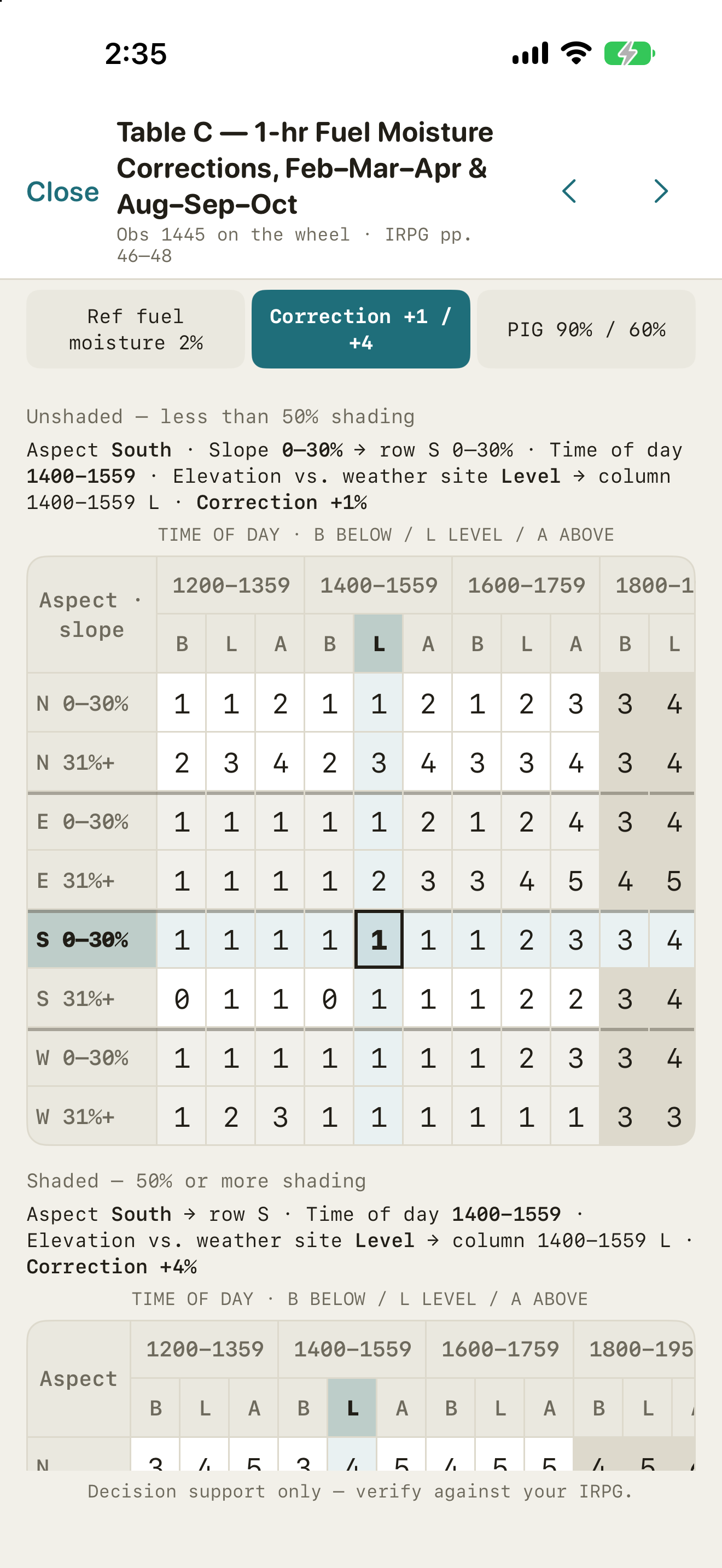
It walks Table A, the B, C and D corrections, and the PIG table, and shows every step.
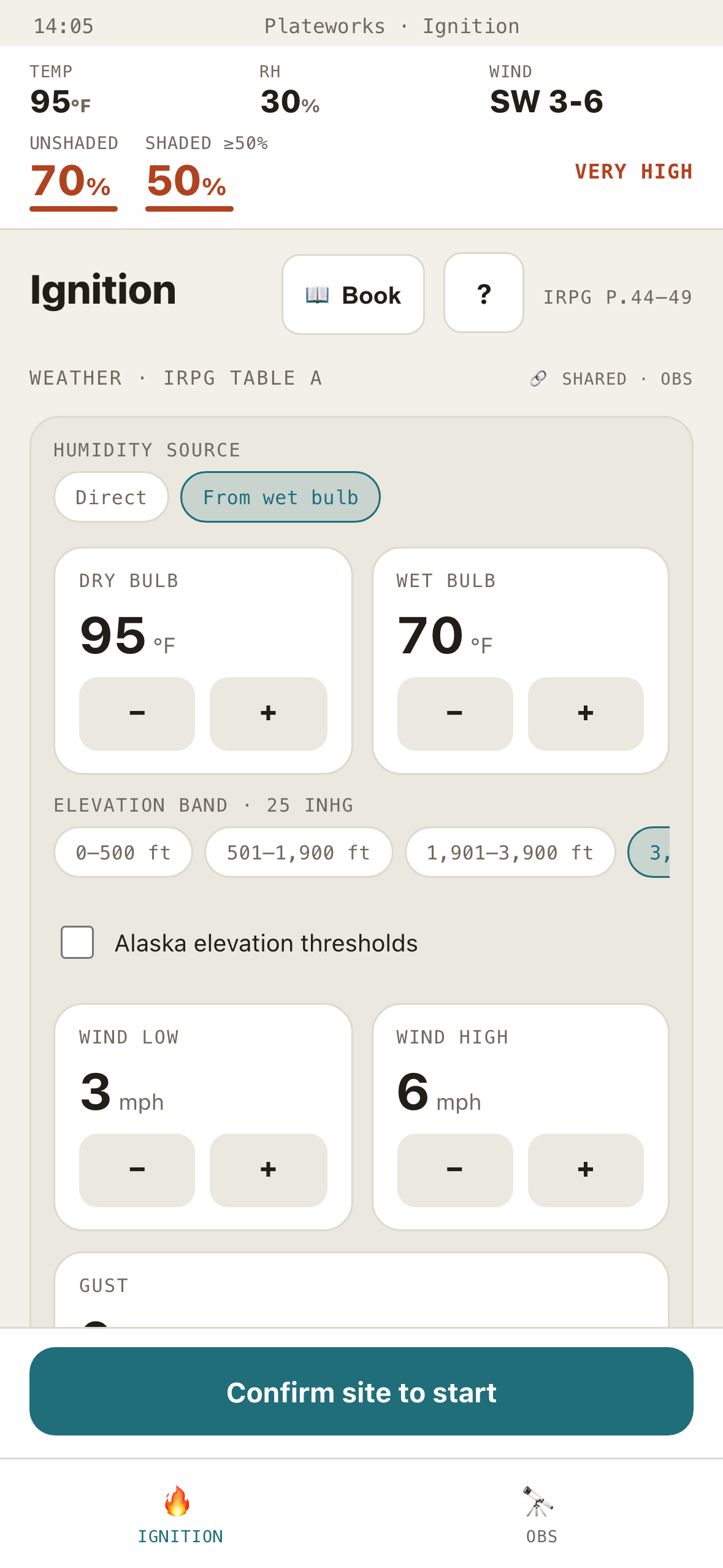
On the web, enter temperature, RH, month, time of day, aspect, slope, and elevation against the weather site. Reference fuel moisture, the correction, and fine fuel moisture stay on screen so you can check each one against your own pocket guide. Results update as you type. There's no calculate button.
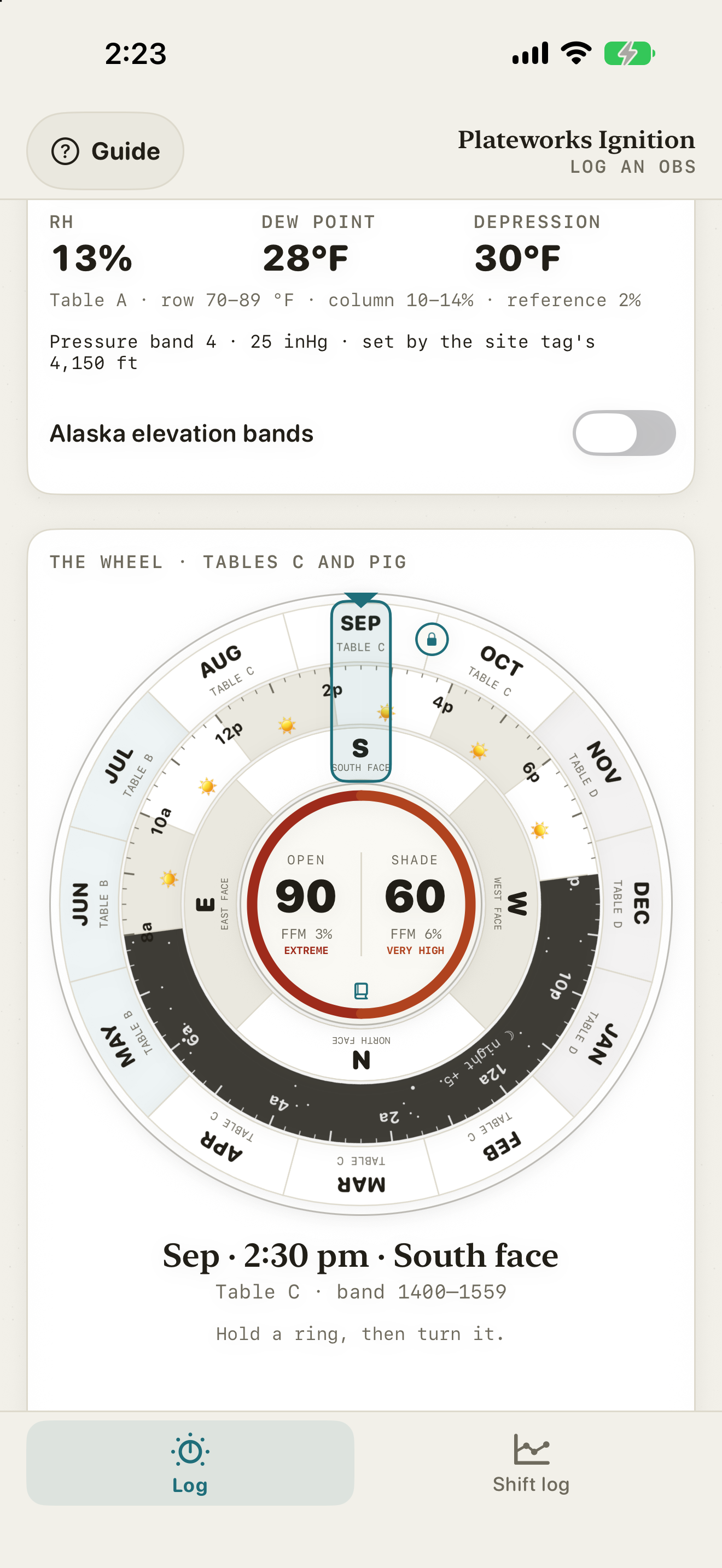
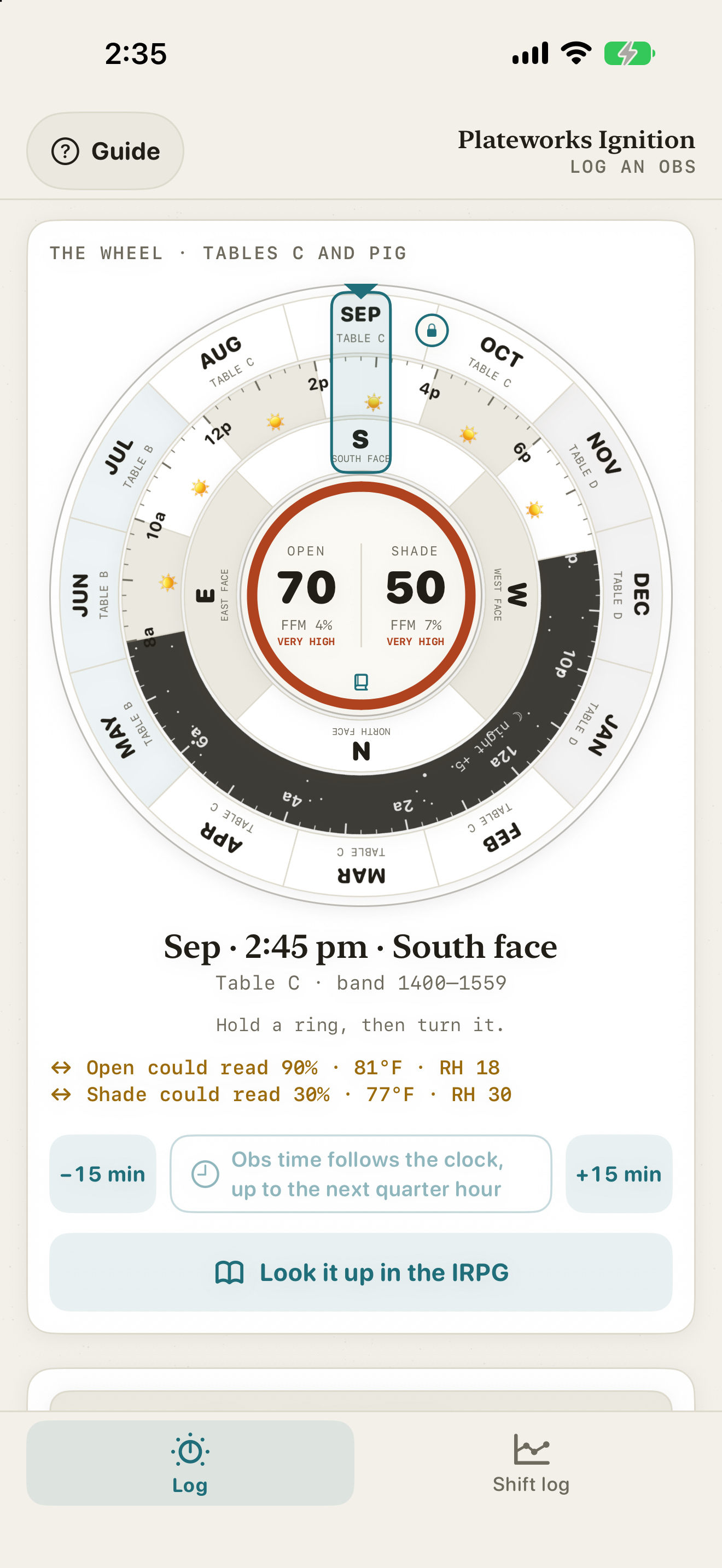
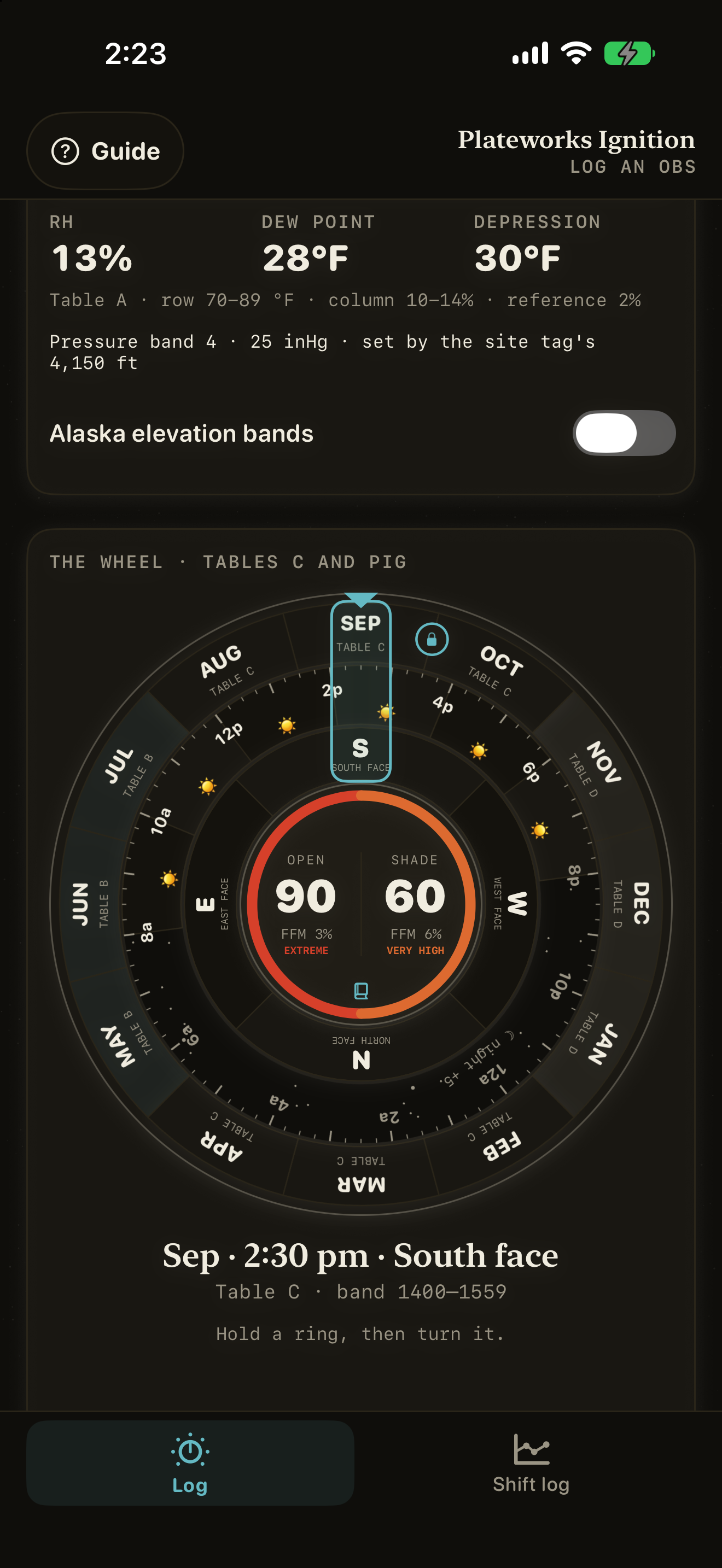
On the iPhone, slide the dry-bulb and wet-bulb strips, turn the aspect ring on the wheel, and tap the slope and whether the site sits above, level with, or below the weather station. The month comes from today's date. The time follows the clock, rounded up to the next quarter hour, and the −15 min and +15 min buttons set it by hand. The hub in the middle of the wheel shows PIG and fine fuel moisture for open and shaded fuels, and it changes as the strips move. Tap it for the IRPG pages it used: Table A, the correction table or the night rule, and the PIG table, each with its cell marked.
It computes PIG for shaded and unshaded fuels at once. The web app reads out the IRPG fire-behavior interpretation in plain language; the iPhone hub names the band. Nighttime fuel-moisture handling is built in.
- Very Low<10%Very low ignition, some spotting may occur with wind
- Low10 to 20%Low ignition, campfires can be hazardous
- Medium20 to 30%Medium ignition, matches hazardous, easy burning
- High30 to 50%High ignition, matches dangerous, spotting possible with wind, medium burning conditions
- Very High50 to 70%Very high ignition, rapid buildup, extensive spotting and crowning, and loss of control
- Extreme80 to 100%Extreme ignition and initial spread, frequent spots, critical fire conditions
The sling
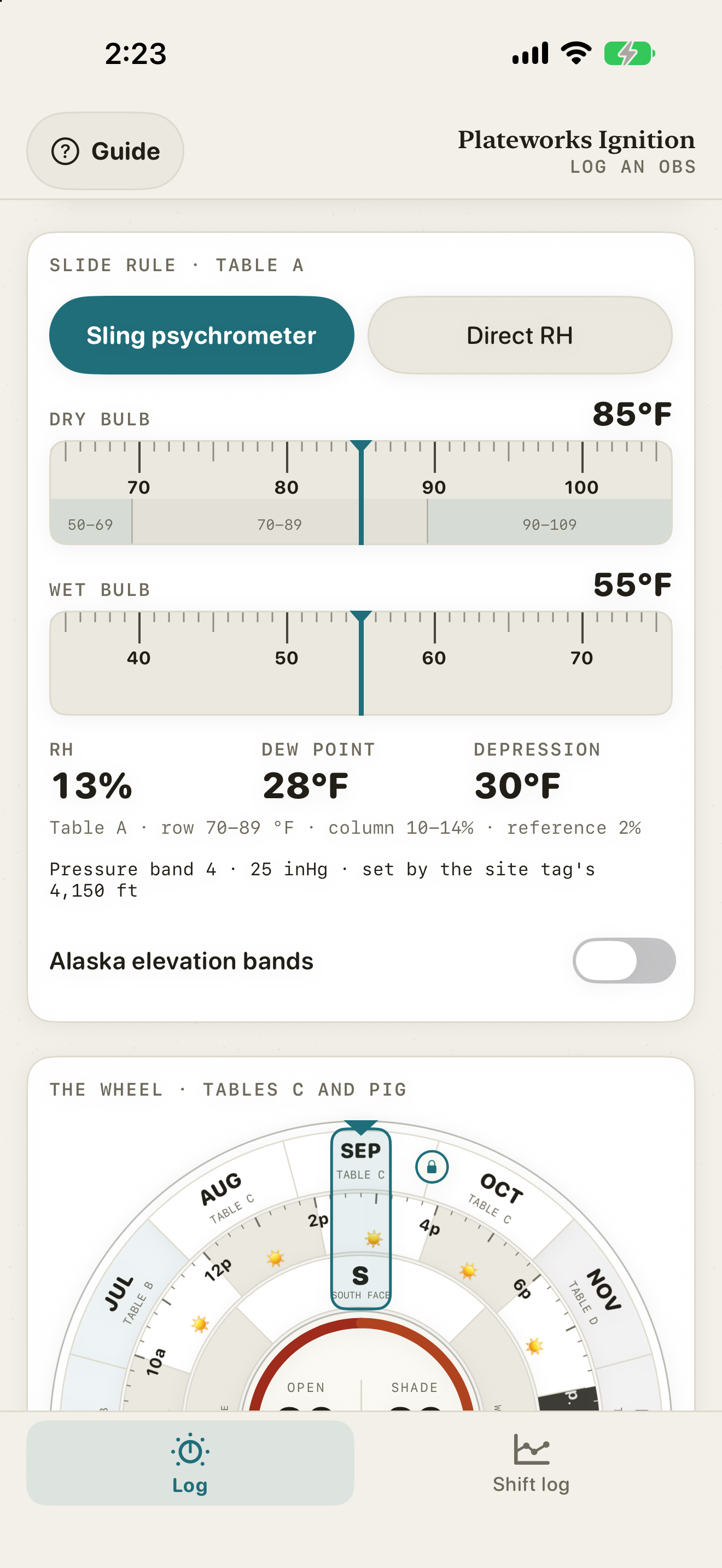
Relative humidity from dry-bulb and wet-bulb, across every NWCG elevation band.
A sling psychrometer reading gives you dry-bulb and wet-bulb temperatures. The app turns them into relative humidity, dew point, and wet-bulb depression, with the Alaska thresholds where they apply. The RH feeds the ignition calculation without being typed a second time. On the iPhone, the site tag's elevation picks the band.
The log
Every obs goes into a shift log you can export.
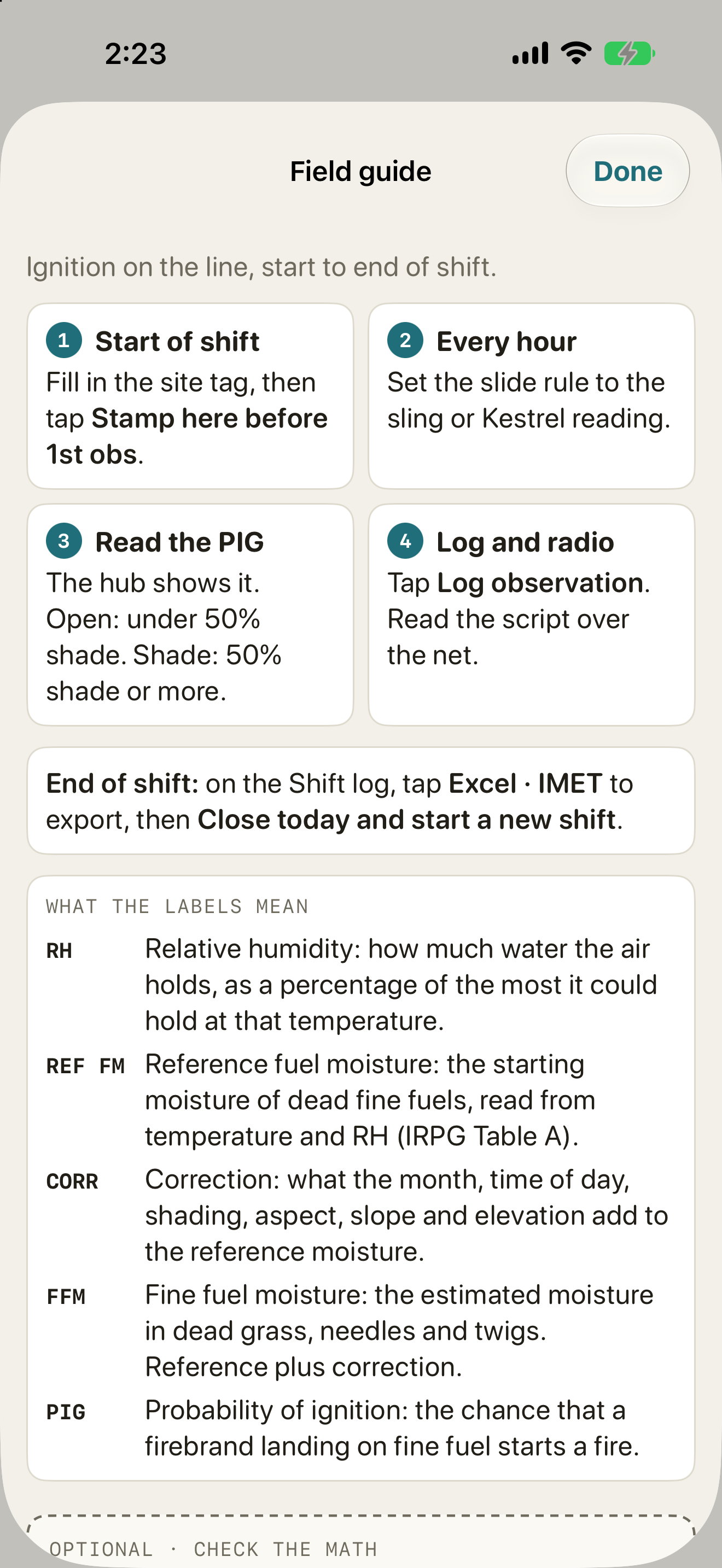
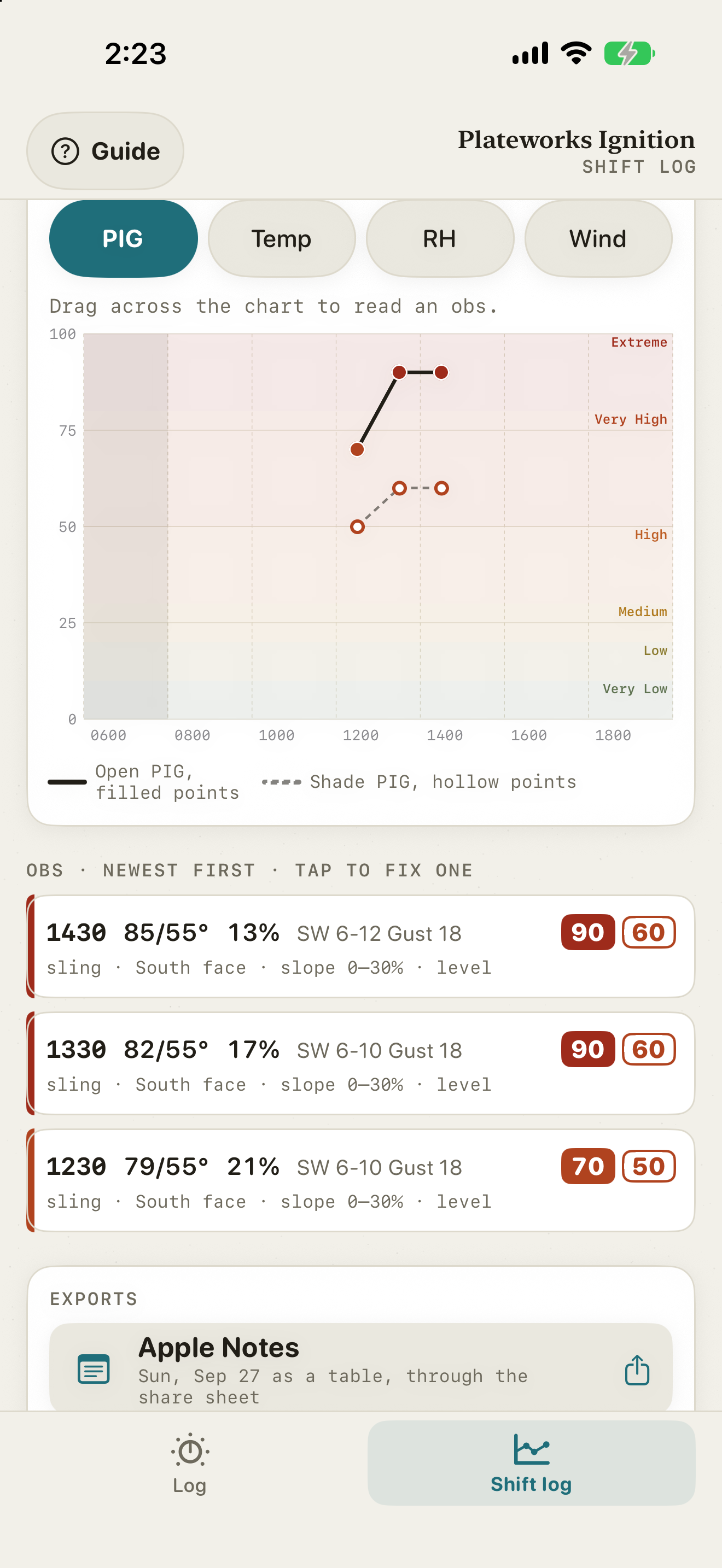
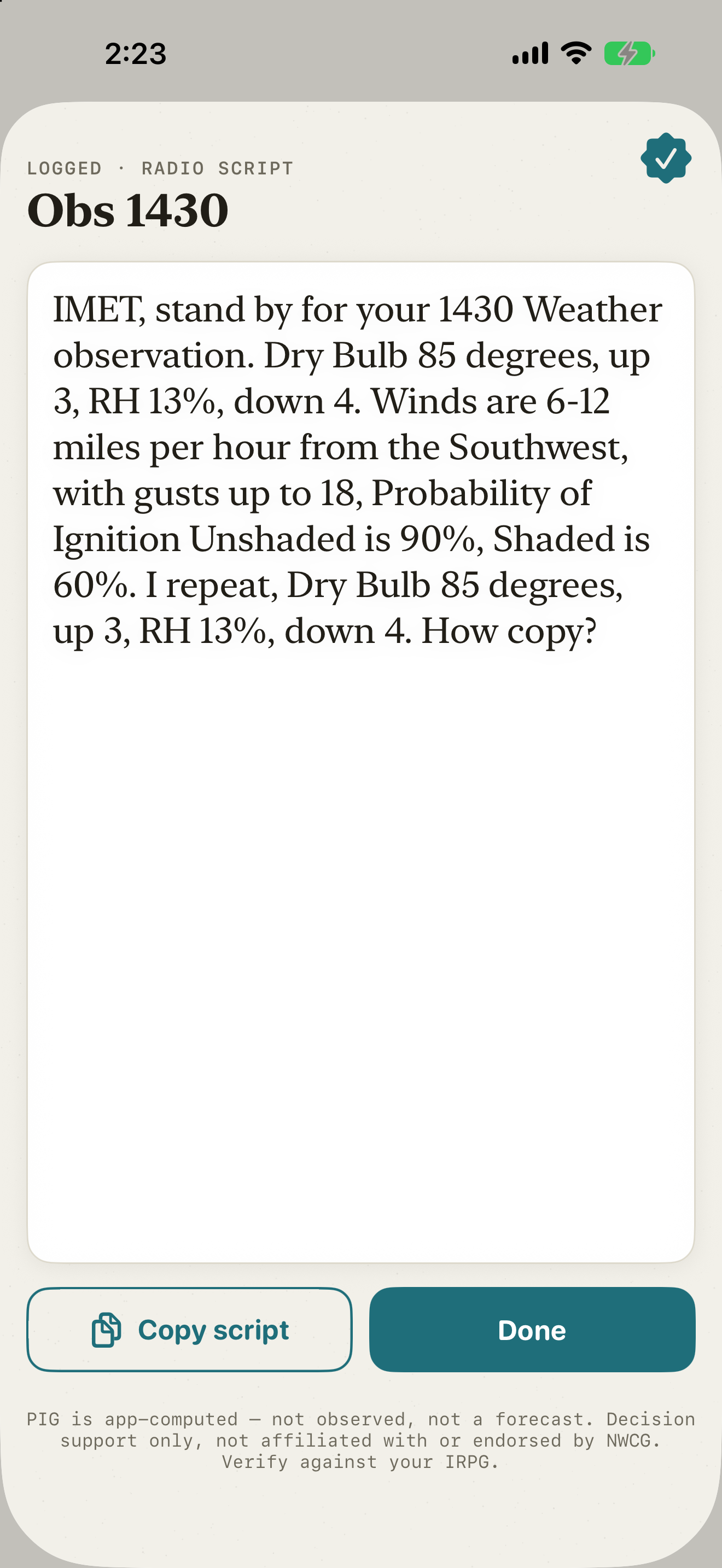
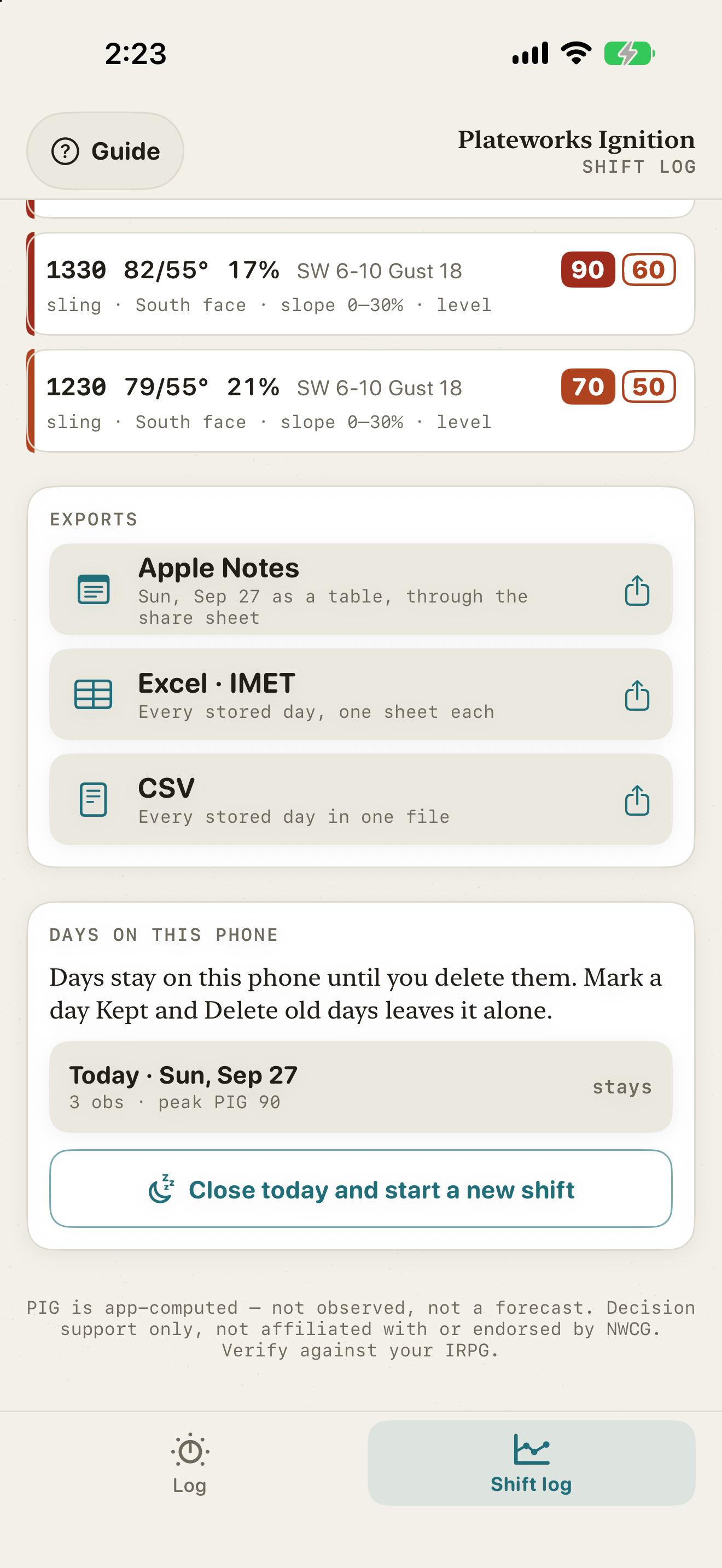
Confirm the site once a shift, then log each obs. The app freezes the reading and writes the radio script, with the change since the last obs. On the iPhone, the Shift log charts PIG, temperature, RH, and wind across the day and exports to Apple Notes, an IMET Excel workbook, or CSV. The web app keeps its log on the Obs tab and exports the IMET workbook.
The line
Built for gloves and for dark.
The controls are large enough to hit with a gloved hand. A near-black night mode protects dark adaptation; it follows the phone's dark-mode setting. Every IRPG table value is a cell-for-cell transcription, checked in three independent passes and guarded by tests. The web engine and the Swift core are held at parity by generated vectors on every change.
| Accuracy claim | Basis |
|---|---|
| Every IRPG table value is a cell-exact transcription, not a formula. | Three independent passes reconciled cell by cell, guarded by property tests. |
| Relative humidity matches the printed PMS 437 tables. | Validated cell by cell at 30 inHg and 27 inHg across RH 3 to 94 percent, dry bulb 40 to 80 F, dew point -21 to 66 F. Those cells are golden tests. |
What it does not do
Decision support only. It is not affiliated with or endorsed by the NWCG. Verify against your own IRPG and consult local experts. The iPhone app has no account and collects no data. The web app has no account and sets no cookies; it counts page views and which controls get used, and nothing you enter. See privacy.